

TL;DR
The best keyword research tools in 2026 are Semrush (best all-round), Ahrefs (best for competitor research), KWFinder (best for niche sites), Google Search Console (best free tool for existing sites), and AlsoAsked (best for People Also Ask + AI Overview optimisation). I’ve used all of these on ShoutMeLoud — and I was one of the first bloggers in the world to cover Semrush when it launched. This guide tells you exactly which tool to pick based on your budget and goals.
What is a keyword research tool? A keyword research tool is software that helps you find the exact words and phrases people type into search engines. It tells you the monthly search volume, how competitive a keyword is, and often what your competitors are ranking for — so you can create content that actually gets found.
I started ShoutMeLoud in 2008 with zero knowledge of keyword research. Back then, I’d write articles based on gut feeling — and wonder why nobody found them. The day I discovered keyword research tools, everything changed.
I was also one of the first bloggers in the world to write about Semrush when it was still a young tool — long before it became the industry standard it is today. ShoutMeLoud covered it when almost nobody else had. Over the past 15+ years, I’ve personally tested 20+ keyword research tools across hundreds of articles, niche sites, and affiliate campaigns.
Some of these tools cost $500 a month. Some are completely free. A few have been genuinely game-changing for ShoutMeLoud’s organic traffic. This guide covers what’s actually worth your time in 2026 — with honest assessments of who each tool is for, what it costs, and where it falls short.
How Keyword Research Is Different in 2026 Because of AI Search
Keyword research used to be straightforward: find a term, check its volume, check its difficulty, write a page. In 2026, that model still works — but it’s no longer complete.

Three big shifts have changed how you need to approach keyword research:
- AI Overviews now appear at the top of Google for 40–60% of informational queries. Even if you rank #1, you may not get the click — the AI summary answers it above you. This means you need to optimise for being cited inside AI answers, not just for ranking below them.
- Zero-click searches have grown significantly. Users get answers directly on the SERP. Keyword research now requires you to identify which keywords are worth targeting for traffic (people who will click through) vs. which are being absorbed by AI answers.
- Conversational and question-based queries are surging. People now search the way they talk — long, specific, natural language phrases. Tools that surface ‘People Also Ask’ data (like AlsoAsked) and question clusters have become essential, not optional.
The practical implication: the best keyword research in 2026 combines traditional volume/difficulty data with question mapping, search intent classification, and AI visibility awareness. Several tools below now have dedicated GEO (Generative Engine Optimisation) features built in.
Two Types of Keyword Research (Know Which You Need)
Before jumping into the tools, understand the two main approaches:
- Seed keyword research — Start with a broad topic and discover variations, long-tail keywords, and related terms
- Competitor keyword research — Find keywords already driving traffic to similar sites in your niche
In my experience, competitor-based keyword research is faster and more profitable. If a keyword is already working for a competitor in your niche, the hard part — proving demand exists — is already done. Your job is to create better content.
Quick Comparison: All Tools at a Glance
| Tool | Best For | Starting Price | Free Plan? | Standout Feature | Rating |
|---|---|---|---|---|---|
| Google Search Console | Existing site SEO | Free | Yes (always) | Real ranking data from your own site | ⭐ 5/5 |
| Google Keyword Planner | PPC + free research | Free | Yes | Direct Google volume data | ⭐ 4.6/5 |
| Google Trends | Trend validation | Free | Yes | Trend direction over time | ⭐ 4.4/5 |
| AlsoAsked | PAA + AI Overviews | Free (3/day) | Yes | People Also Ask mind maps | ⭐ 4.6/5 |
| Keyword Surfer | In-SERP research | Free | Yes (Chrome ext) | Volume shown inside Google | ⭐ 4.2/5 |
| Semrush | All-round SEO | $139/mo | Limited | Keyword Magic Tool + 25B database | ⭐ 4.9/5 |
| Ahrefs | Competitor research | $129/mo | Free tools only | Traffic Potential metric | ⭐ 4.8/5 |
| KWFinder | Niche sites | $36/mo | 5 searches/day | Most accurate KD scores | ⭐ 4.7/5 |
| KeySearch | Budget bloggers | $17/mo | No (trial only) | Ahrefs-like features at 1/8 price | ⭐ 4.4/5 |
| SE Ranking | Agencies | $65/mo | 14-day trial | Real-time SERP data | ⭐ 4.3/5 |
| AnswerThePublic | Content ideation | $99/mo | 3 searches/day | Question visualiser | ⭐ 4.0/5 |
| Moz Keyword Explorer | Beginners (honorable mention) | $99/mo | 10 searches/mo | Priority score metric | ⭐ 3.8/5 |
Best Free Keyword Research Tools (No Credit Card Required)
Before spending a dollar on paid tools, exhaust these five. Together they cover search volume, trend validation, your own site’s keyword data, and question-based research — everything a new blogger or site owner needs to get started.
1. Google Search Console — Best Free Tool for Existing Sites
Pricing: Free — requires Google account + site verification
Google Search Console is the most underused keyword research tool in existence — and it’s completely free. Here’s what makes it uniquely powerful: it shows you the keywords your site is already ranking for, including ones you’re not actively targeting. This is data no third-party tool can replicate because it comes directly from Google.
The workflow I use on ShoutMeLoud: filter for keywords where average position is between 4 and 20. These are pages sitting just off page 1, or low on page 1, that could move significantly with a content update. This is the fastest ranking win available to any established site — no new content required.
How to use GSC for keyword research:
- Search Console → Performance → Search Results → set date to 6 months
- Filter: Average Position > 4 and < 20 (your low-hanging fruit)
- Sort by Impressions descending — high impressions + low position = biggest opportunity
- Click any URL → see all queries that page ranks for → identify missing LSI keywords to add
- Export the list → prioritise articles to update vs. new articles to write
Pros: Free, real data from your site, updated daily, shows CTR and impressions.
Cons: Only works for sites with existing content and rankings, limited query data (filters for sensitive searches).
Best for: Established blogs and sites optimising existing pages, not new sites.
2. Google Keyword Planner — Best Free Source of Volume Data
Pricing: Free — requires a Google Ads account (no spend required)
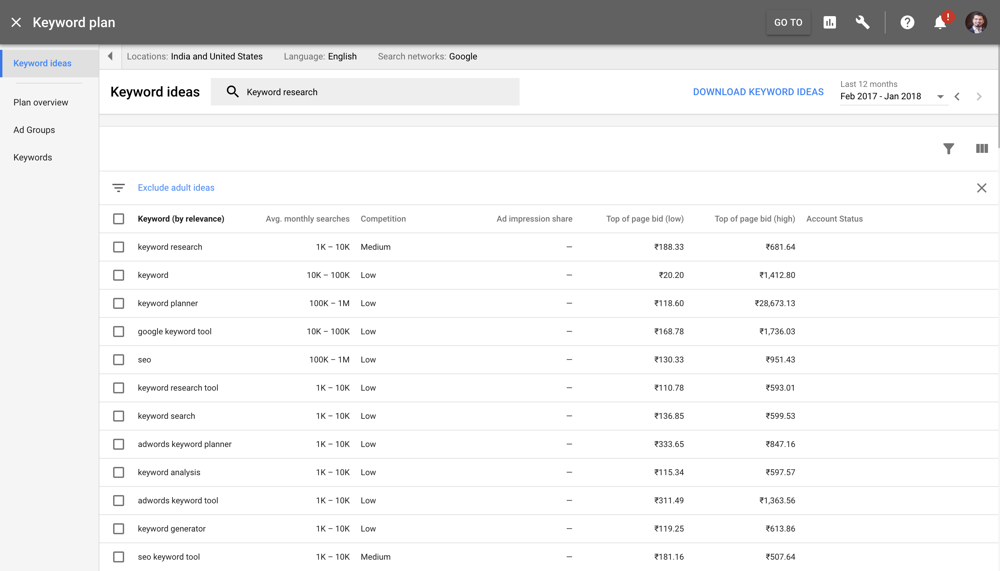
Google Keyword Planner is the simplest free tool for discovering keyword volume. It’s built into Google Ads, and you don’t need to spend a single penny to use it — just create an account.
The tool shows you monthly search volume ranges and competition levels (Low/Medium/High) for keywords you search. It’s not as detailed as paid tools, but for free volume estimates, it’s the most accurate because it pulls directly from Google’s own data.
I use it to validate keyword volume before diving deeper with paid research. If a keyword shows “Low” competition and decent monthly searches, I’ll investigate further with KWFinder or Semrush.
Pros: Free, uses Google’s actual data, shows competition levels, easy to use.
Cons: Limited keyword expansion features, ranges (not exact numbers), volume data grouped in bands.
Best for: New bloggers and anyone who wants the most reliable free volume data.
3. Google Trends — Best for Validating Keyword Momentum
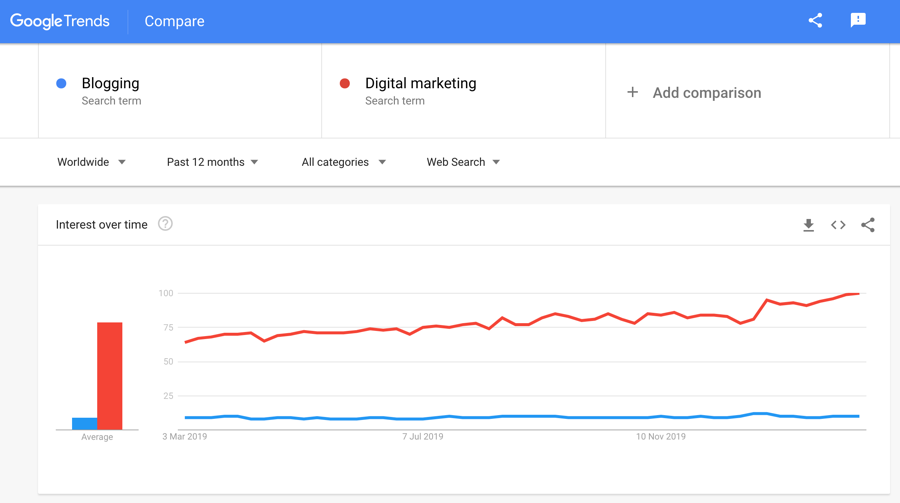
Google Trends shows you whether a keyword is rising, falling, or staying flat over time. This is invaluable for understanding search momentum.
I use Trends to avoid chasing dying keywords. If a topic’s search interest is dropping year-over-year, it’s a bad investment — no matter what the volume looks like today. Conversely, if a topic is surging, the upside can be significant.
Trends also shows related queries and regional breakdowns, which help me understand where demand is highest and where I should focus content.
Pros: Free, shows trend direction, reveals seasonal patterns, regional data.
Cons: Relative interest (not absolute volume), can be noisy with trending content, limited detail on keyword difficulty.
Best for: Validating whether keywords are growing or dying, understanding seasonal content opportunities.
4. AlsoAsked — Best Free Tool for People Also Ask + AI Overview Optimisation
Pricing: Free (3 searches/day) | Paid from $12/month
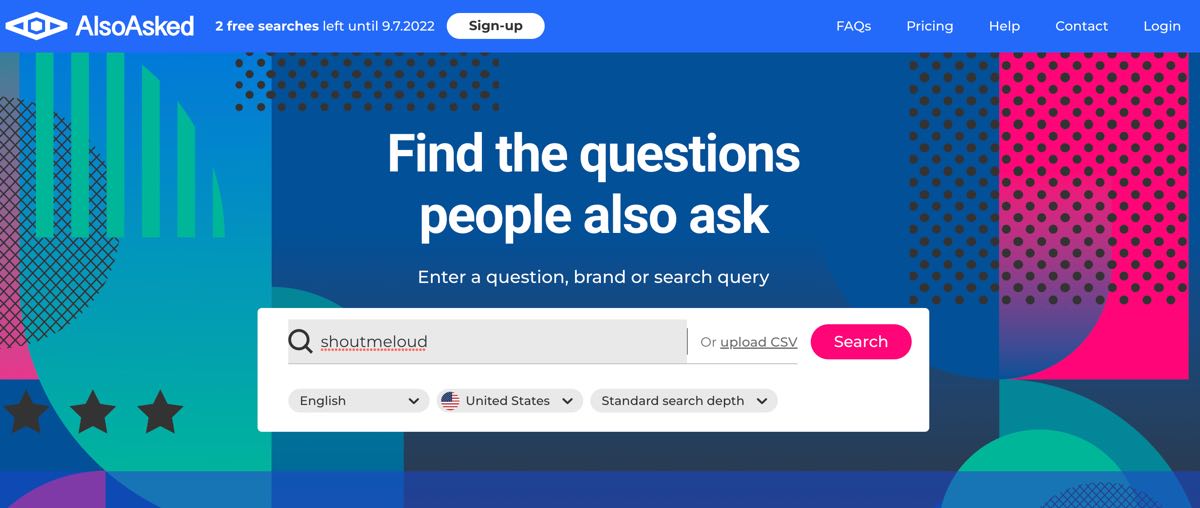
AlsoAsked is the best free tool for mining the “People Also Ask” box on Google. It shows you questions people are actually searching for, presented as a visual mind map. This is gold for content ideation and AI Overview optimisation.
In 2026, optimising for People Also Ask and being cited in AI Overviews is as important as ranking #1. AlsoAsked makes this research friction-free.
How I use AlsoAsked:
- Enter a seed keyword (e.g. “keyword research tools”)
- Expand the tree to see related questions (usually 8-12 per layer)
- Identify questions I haven’t answered in my article
- Add a FAQ section or section headers to target those questions
- Structure my content to answer the most commonly asked questions first
Pros: Excellent PAA research, visual mind map format, free tier is generous, ideal for AI Overview optimisation.
Cons: Limited to 3 searches/day on free plan, doesn’t show search volume, no competitor research features.
Best for: Content creators optimising for AI Overviews and People Also Ask queries.
5. Keyword Surfer — Best Free In-SERP Keyword Tool
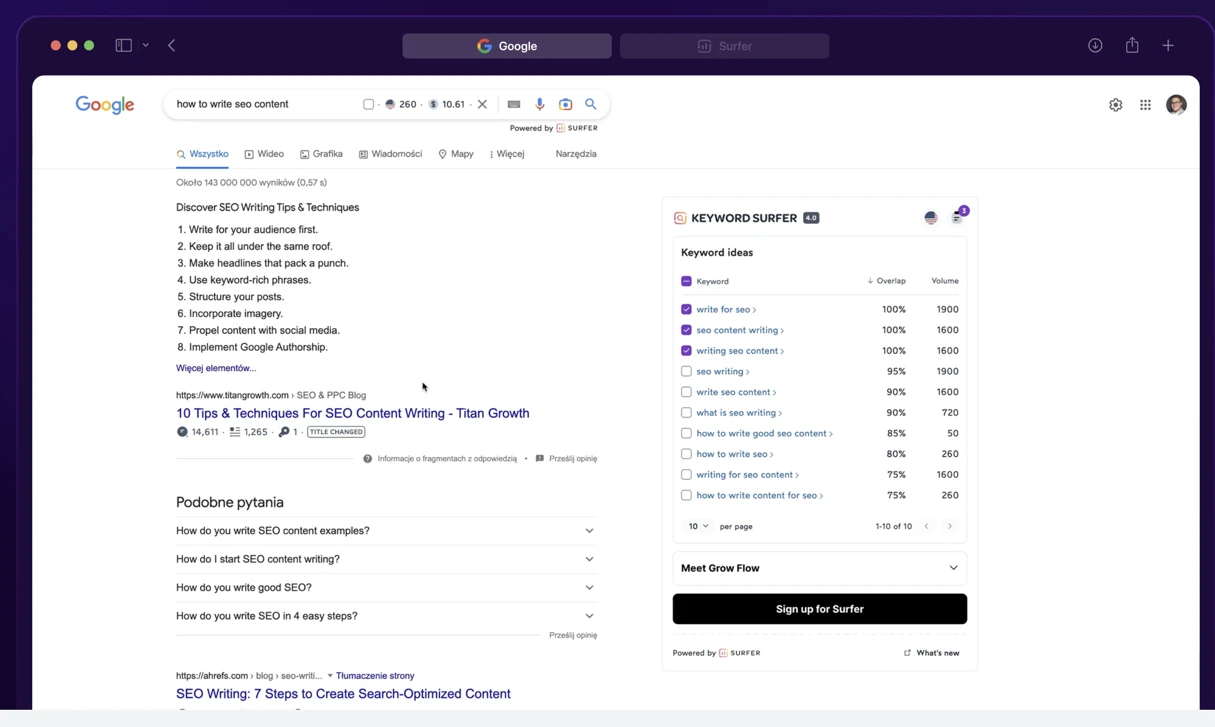
Keyword Surfer is a Chrome extension that shows search volume, CPC, and search intent directly inside Google. It’s non-intrusive and saves you from constantly switching between tools.
The workflow is simple: type a query in Google, and Surfer shows you the volume and difficulty right there. You can expand to see related keywords without leaving the SERP.
For quick research while browsing, this is unbeatable. It’s especially useful for validating keyword ideas before committing research time.
Pros: Free, integrated into Google search, shows volume on SERP, minimal context switching.
Cons: Limited features compared to paid tools, Chrome extension only, no competitor research.
Best for: Quick in-search validation and exploratory keyword research.
Best Paid Keyword Research Tools
When you’re ready to go deeper — competitor research, content gap analysis, rank tracking, and full keyword databases — these are the tools worth paying for.
6. Semrush — Best All-Round Keyword Research Tool
Pricing: From $139/month | Free trial: 14 days
ShoutMeLoud history: I was one of the very first bloggers in the world to write about Semrush — back when it was a brand-new tool and almost nobody else had covered it. I’ve watched it grow from a niche SEO utility into the industry’s most comprehensive platform. 15+ years later, it’s still the tool I open first.
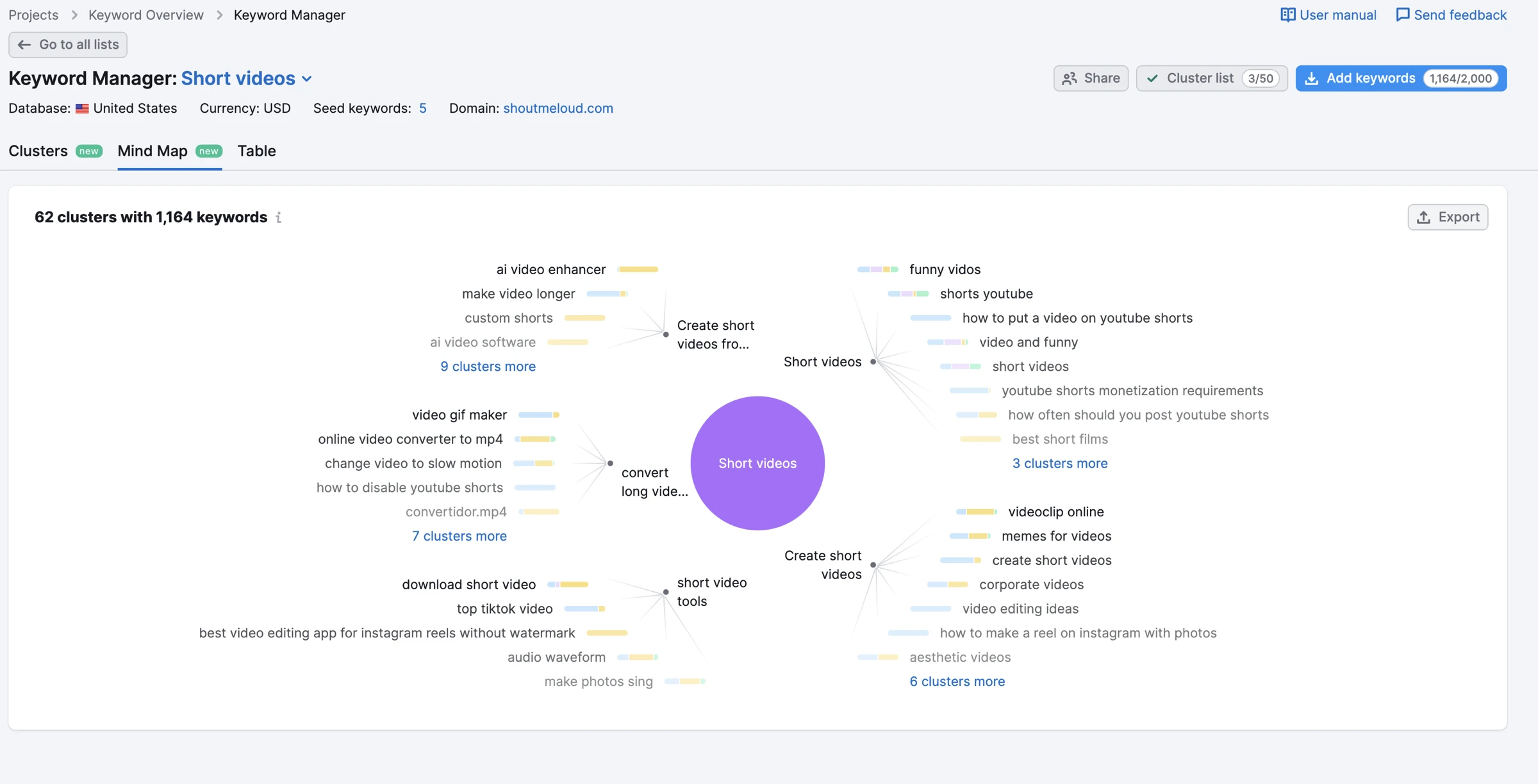
Semrush is the most comprehensive all-in-one SEO platform. Its Keyword Magic Tool accesses a database of 25B+ keywords and shows you exact search volume, difficulty, trend direction, and related terms with a single query.
But Semrush is more than just keywords. The platform includes competitor research (see what keywords drive traffic to competitors), content gap analysis (find keywords you’re missing), rank tracking, on-page SEO audits, technical SEO, backlink analysis, and PPC research.
What I use Semrush for on ShoutMeLoud:
- Keyword Magic Tool to find 50+ keyword variations for a topic
- Competitor Domain Analysis to see which keywords drive traffic to similar blogs
- Content Gap Analysis to identify topics competitors rank for but I don’t
- Keyword Difficulty filter to focus on keywords I can realistically rank for
Pros: Largest keyword database (25B+), accurate difficulty scores, excellent competitor research, all-in-one platform, excellent content & backlink tools.
Cons: Higher price point ($139+/month), steep learning curve for new users, overkill for beginners.
Best for: Serious content marketers, SEO agencies, and anyone who needs deep competitor intelligence and a full SEO toolkit.
7. Ahrefs Keywords Explorer — Best for Competitor Research
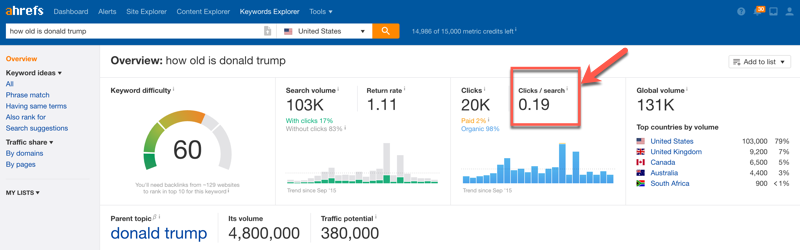
Ahrefs is the #2 choice for serious keyword research. Its Keywords Explorer tool is slightly more expensive than Semrush ($129/month), but it offers one unique advantage: the Traffic Potential metric.
Traffic Potential shows the estimated organic traffic you could receive if you ranked #1 for a keyword. This is crucial — it filters out high-volume keywords that convert to zero traffic because they’re informational only.
Ahrefs is also known for the accuracy of its keyword difficulty scores, which rival or exceed Semrush’s in many niches.
Pros: Traffic Potential metric, accurate difficulty scores, strong backlink research, excellent competitor analysis.
Cons: Slightly pricier than Semrush, smaller keyword database than Semrush (though still 170M+ keywords).
Best for: Affiliate marketers and SEOs who prioritise understanding true ranking value over raw volume.
8. KWFinder by Mangools — Best for Niche Sites
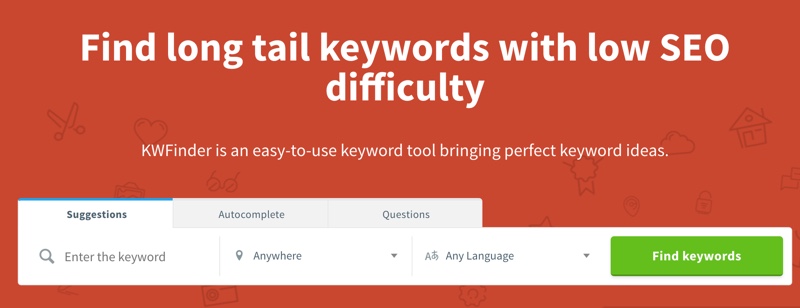
KWFinder is my favourite tool for niche sites and long-tail keyword research. Its Keyword Difficulty (KD) score is more accurate for low-volume keywords than Semrush or Ahrefs.
At $36/month, it’s also affordable. For new bloggers and niche site builders, the price-to-value ratio is unbeatable.
KWFinder focuses on simplicity. You won’t get the 300 features of Semrush, but you will get a clean interface, reliable KD scores, and SERP analysis that actually tells you if a keyword is rankable.
Discover profitable long-tail keywords with ease using KWFinder by Mangools – start your free trial today and unlock the potential of advanced keyword research to skyrocket your website's rankings!
Pros: Most accurate KD scores for niches, very affordable ($36/month), clean interface, SERP analysis shows actual ranking difficulty.
Cons: Smaller keyword database, fewer features than Semrush or Ahrefs, limited competitor research.
Best for: Niche bloggers, affiliate marketers on tight budgets, long-tail keyword research.
9. KeySearch — Best Budget Tool for Bloggers
KeySearch is essentially a more affordable alternative to Ahrefs. At $17/month, you get Ahrefs-like features (competitor research, SERP analysis, backlink data) at roughly 1/8 the price.
The platform also includes YouTube research mode, which is rare. If you’re creating video content, this alone is worth the subscription.
Pros: Extremely affordable ($17/month), YouTube research built-in, Ahrefs-like features at low cost, beginner-friendly.
Cons: Smaller team (updates slower), smaller keyword database, less reliable than Ahrefs or Semrush in some niches.
Best for: Budget-conscious bloggers, YouTube creators, and anyone who wants basic competitor research without the $129-139 price tag.
10. SE Ranking — Best for SEO Agencies
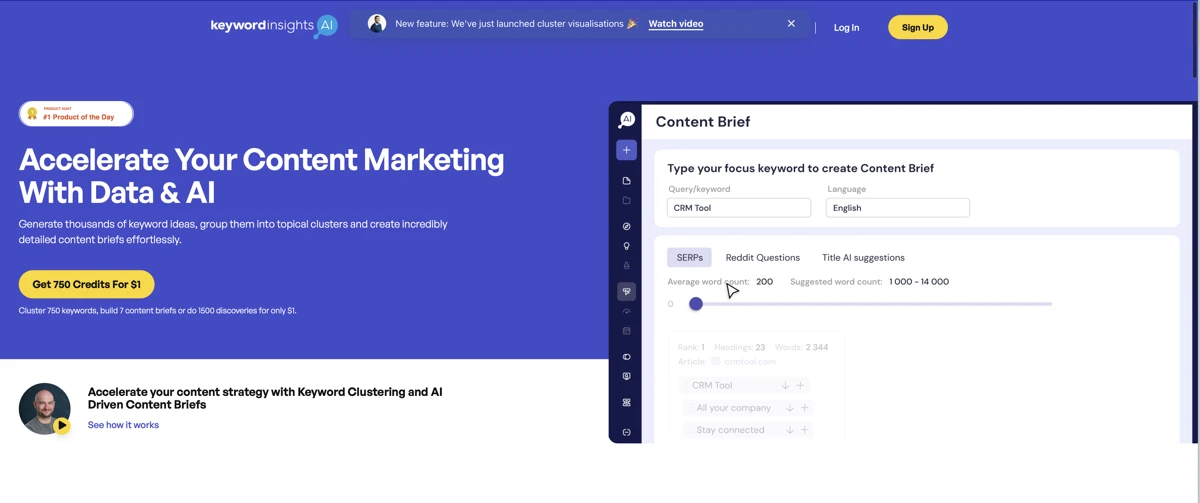
SE Ranking is built for agencies. It includes multi-project management, white-label reporting, rank tracking, on-page SEO audits, and competitor research — all in one platform.
The keyword research tool shows real-time SERP data, which is valuable for tracking algorithm changes and understanding intent shifts.
At $65/month, it’s cheaper than Semrush or Ahrefs, making it attractive for small agencies.
Pros: White-label reports for agencies, all-in-one SEO platform, real-time SERP data, affordable pricing.
Cons: Smaller keyword database, less powerful competitor research than Ahrefs/Semrush, steeper learning curve.
Best for: SEO agencies needing white-label reporting and multi-project management.
11. AnswerThePublic — Best for Deep Content Ideation
AnswerThePublic goes deeper than AlsoAsked. It visualises not just People Also Ask questions, but also “Prepositions” (keywords with “for,” “near,” “vs.”) and “Comparisons” (“X vs. Y” searches).
This is invaluable for content ideation. I use it to understand the nuances of how people search within my niche — not just what they search, but how they frame questions.
Pricing: Free (3 searches/day) | Paid from $99/month.
Pros: Excellent for understanding search intent nuances, visual interface, includes prepositions and comparisons.
Cons: Free tier limited (3/day), doesn’t show search volume, focused on ideation (not difficulty/competition).
Best for: Content strategists and marketers who want deep insight into how their audience phrases search queries.
12. LowFruits — Best for Finding Weak Competition Keywords
LowFruits is a niche research tool designed specifically to find “low-hanging fruit” keywords — high-volume, low-competition keywords that are genuinely rankable.
Instead of showing you millions of keywords, LowFruits uses AI to filter down to the most valuable targets. It’s especially powerful for affiliate marketers.
You pair LowFruits with KWFinder or Semrush: use LowFruits to find opportunities, then validate with a full tool.
Pros: Excellent filtering for low-competition keywords, AI-driven suggestions, fast interface.
Cons: Focused solely on finding easy wins (not comprehensive keyword research), smaller database, limited reporting.
Best for: Affiliate marketers hunting for low-competition opportunities, niche site builders on a budget.
Honourable Mention: Moz Keyword Explorer
Moz Keyword Explorer includes the Priority Score metric, which combines volume, difficulty, and opportunity into a single number. It’s useful for quick prioritisation.
However, Moz’s keyword database is smaller than Semrush or Ahrefs, and the tool feels aged. I’d recommend Semrush, Ahrefs, or KWFinder over Moz for most users.
Best Keyword Research Tools by Use Case
Keyword research isn’t one-size-fits-all. Here’s exactly which tool to reach for based on your specific platform or goal:
| Platform / Goal | Best Tool | Why | Price |
|---|---|---|---|
| YouTube SEO | KeySearch + TubeBuddy | KeySearch has a dedicated YouTube research mode; TubeBuddy shows tag data and competition inside YouTube Studio | $17/mo + Free tier |
| Amazon / eCommerce | Helium 10 (Cerebro) | ASIN reverse lookup finds keywords competitors rank for on Amazon — no generic SEO tool comes close | From $39/mo |
| Local SEO | Google KP + BrightLocal | GKP provides local volume by city/region; BrightLocal tracks local rankings and citation data | Free + $39/mo |
| AI search (ChatGPT / Claude / Perplexity) | AlsoAsked + Frase | AlsoAsked maps PAA question clusters; Frase tracks brand visibility across 8 AI platforms including ChatGPT and Claude | Free + $39/mo |
| Blogging / Affiliate sites | KWFinder or KeySearch | Most accurate KD for low-volume niches at the lowest price point | From $17–36/mo |
| Content agencies | Semrush or SE Ranking | Multi-project management, white-label reporting, full keyword + content stack | From $65–139/mo |
| Trend / Seasonal content | Google Trends | Shows whether a keyword is rising or falling — free and direct from Google | Free |
How to Choose the Right Keyword Research Tool
After 15+ years of running ShoutMeLoud, here’s how I’d match tool to situation:
| Your Situation | Recommended Tool | Why |
|---|---|---|
| Brand new blog, zero budget | Google KP + GSC + AlsoAsked | All free. Covers volume, your own site data, and question research |
| New blog, small budget ($20–40/mo) | KWFinder or KeySearch | Affordable accuracy for long-tail and niche keywords |
| Established blog needing recovery | Semrush + GSC | Keyword Gap for missed opportunities; GSC for quick-win updates |
| Niche affiliate site | KWFinder + LowFruits | Best KD accuracy + weak-spot SERP analysis |
| Content agency | SE Ranking or Semrush | White-label reporting + full-stack workflow |
| Optimising for AI Overviews | AlsoAsked + Frase | PAA mapping + GEO tracking across AI platforms |
Frequently Asked Questions — Best Keyword Research Tools
Google Search Console is the best free keyword research tool for any site that has existing content — it shows your real ranking keywords, click data, and impressions directly from Google. For new sites without existing content, Google Keyword Planner is the best free option for finding keyword volume and CPC data. Both are free and require only a Google account.
Both are excellent and the choice depends on your primary use case. Semrush has the larger keyword database (25B+ keywords) and is better for all-round SEO, content marketing, and competitor intelligence. Ahrefs has more accurate keyword difficulty scores and the unique Traffic Potential metric, making it better for understanding the true value of ranking for a keyword. I’ve used both extensively on ShoutMeLoud — for most bloggers, Semrush offers more value per dollar.
KWFinder by Mangools is the best keyword research tool for niche sites. Its Keyword Difficulty score is more accurate for low-volume, long-tail keywords than any other tool I’ve tested. Pair it with LowFruits to identify keywords where the competition is genuinely weak, and with Google Search Console once your site has content live.
Keyword research now needs to account for AI Overviews, which appear on 40–60% of informational queries and can absorb clicks that would otherwise go to ranked pages. You need to identify which keywords are worth targeting for organic clicks vs. which are being answered by AI summaries. Tools like AlsoAsked and Frase now include GEO (Generative Engine Optimisation) features that help you optimise for being cited in AI answers — not just ranked in traditional search results.
For new sites and bloggers on a budget, yes — Google Search Console, Google Keyword Planner, Google Trends, and AlsoAsked together cover search volume validation, trend direction, your own site’s keyword data, and question-based research. The limitation is competitor keyword research: to see what keywords other sites rank for, you need a paid tool. Once your site has consistent traffic and revenue, upgrading to KWFinder or KeySearch is worth the investment.
My Final Recommendation
If I were starting ShoutMeLoud today in 2026: I’d use Google Search Console + Google Keyword Planner + AlsoAsked (all free) for the first 6 months. Once generating consistent content, I’d add KWFinder at $36/month for accurate difficulty scores. Once the site has real traction and needs competitive intelligence, I’d upgrade to Semrush — the same tool I covered when it launched, and the one I still rely on most today.
Whichever tool you choose, the keyword itself is only half the battle. A keyword research tool tells you what people search for. What actually wins rankings in 2026 is content that genuinely answers those searches better than anyone else — and increasingly, content that gets cited by AI platforms, not just ranked below them.
Pick a tool, commit to it for 90 days, and publish consistently. That combination beats any tool switch.
For more on SEO, check out:
Are you using one of the keyword research tools from the above list? How has your experience been so far? Share your thoughts in the comments!







It is a nice article for new and old user. And all the keyword researcher tool are good ,Now I m using SemRush Tool
Hey Vistage
Thanks for sharing a great keyword research tools it’s really helpful for my blog
I love to use Google Keyword Planner for keyword research. This always will be my first preference because it’s easy to use and of course it’s free!! Thanks for sharing the list of free tools.
Thank you for this blog. its help me alot for my business. thank you for sharing.
Hi Vistage nice article to know which one is best keyword research tool but is there any android app or windows app to research keywords?
Hi Vistage ,
Thanks for this article, i was confused between the SEMrush and Ahrefs.
Now its clear to me.
A good list of tools. I also use Keyword.io tool, it is also a great free tool.
That is a really helpful post. SEMRUSH is a great tool for your Keyword research. I am using it and I am loving it.
But anyways, it always good to carry additional knowledge for everything.
Thanks for sharing
Personally, I like ahrefs.com for keyword suggestion. It provides all the details about you keyword like competition, searches, no. of backlinks need to get first page of Google.
Hi Dominick,
I use Long Tail Pro and have been using it for several years. I really like it now that it’s gone to the cloud and isn’t a desktop software. The downside is that you only get so many searches per month.
It seem to work out fine for me and I am able to use it to find the keywords I need for my blog posts.
I haven’t used any of the others mentioned on the post. But I’ve read some great things about SEMRUSH.
Thanks for sharing these tools with us, I know that they’ll help so many bloggers uncover those golden nuggets.
Have a great day 🙂
Susan
Google keyword is still the best keyword planner as it costs nothing. It is totally a free service with best results. So, I would like to recommend google keyword planner for use.
We use semrush and google keyword planner but semrush are quite good enough for perfect keyword research.
Great post, i Use google keyword planner that works great for me 🙂
Very interesting article. This serves as a big help to capture ideas about best keyword research tools niche. What I like the most in this article is now updated. It is definitely worth of my time reading it. This is very helpful for me and for others as well. Thank you for sharing your ideas. thanks a lot for this!
Hi Harsh nice article and I am really happy that yu are ranking (Google.co.in- (position) 67 ) for the keyword Top SEO Tools in such a short time (I noticed that the article was published in (01/01/2017). Appreciate the effort. Other than SEMRUSh and Google Keyword planner the remaining tools are new to me. I should start using it.
hey Vistage,
Thanks for this useful article on keyword research tools.
I use Toolfeast Autosuggest which is completely free. I also use kwfinder free version.
Once again thanks for this article.
Google Keyword Planner is not providing free service. For new bloggers it is very difficult handle. Can you suggest me any alternative Harsha. Thanks.
I have lots of problem with my blog all of content written by myself. I just add related keywords when a publish. But still I do not get any traffic upto now, about 3 months past when I started to post. I do not understand the reason. I use free blogger account.
Bear in mind that many people use the Google Keyword Planner and other stuff, especially Keyword Planner. Sometimes it’s better to use many tools and your mind to come up with something more creative.
Hey Harsh,
Thanks for your detailed post. I have used google keyword planner, SEMRUSH and Long TAIL Pro. Among all i liked Long Tail Pro and i believe it gives more specific results.