
AdSense is the best ad network for bloggers, and a popular way to make money from blogging.
I have already shared a guide on How to create an AdSense account. For existing users, adding AdSense code in a blog is not a task, but if I recall my earlier days, I was not sure how to use AdSense dashboard, and how to integrate AdSense to WordPress.
When it comes to WordPress, there are many AdSense WordPress plugins like WP Advanced ads and others that will let you quickly integrate ads at your desired position. To be honest, I find plugins are easier to do things on WordPress over manual Work.
Until, unless you know PHP, and understand WordPress theme structure.
In this article, I will be sharing how y0u can Add AdSense to WordPress via different methods. I have also highlighted the best method out of all the methods.
Create AdSense ads code for your WordPress Website:
If you already have an AdSense account, then login to the dashboard. If you don’t have one, then read our guide on how to create an AdSense account.
As of 2019, AdSense has introduced Auto-ads. This is a smart way to integrate AdSense to your WordPress website. In fact, auto (automatic) ads take care of automatic placement and optimization using AI technology.
Read: How to use Google Auto ads (This is recommended way now)
- Login to AdSense Dashboard
- From the sidebar, click on Ads > Ad units > New ad units

On the next page, you have multiple options. Select “Text and display ads”

Give your ad unit a meaningful name. This will be later used to see the effectiveness of that perticular ad unit. For example, if you are placing the ad on the sidebar, simply name it something like “domainname-sidebar-ATF”. ATF here is above the fold.
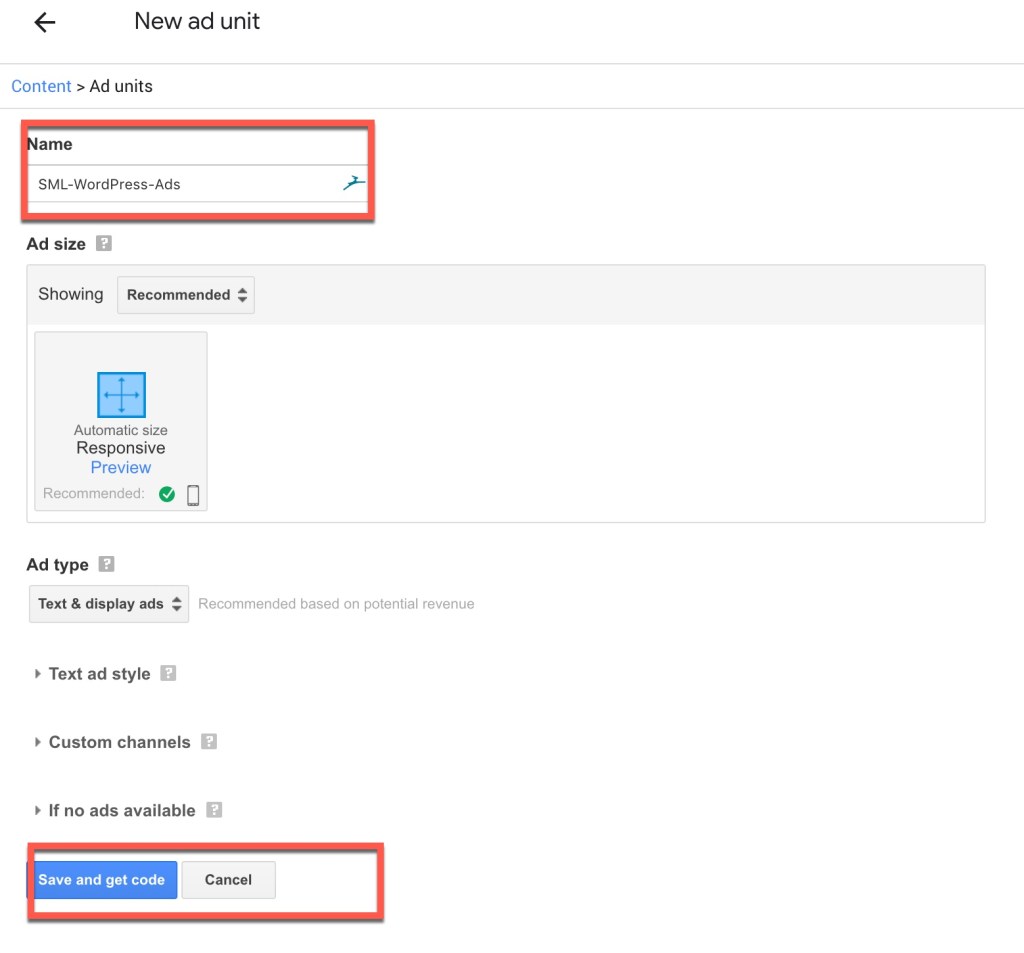
Click on save and get the code. This is how the ad code will look like:

That’s your ad code which you will be using to implement AdSense on your WordPress website. I want you to take a moment and pay attention to “data-ad-client=”ca-pub-6601904697443775” in the above code. That numeric digit is your AdSense Pub ID. This Pub ID is your unique AdSense account number and you may need it in the future.
From here, we have multiple options to add AdSense to WordPress.
Let’s have a look:
- Using AdSense WordPress plugin: In most of the cases, you just need your AdSense pub ID.
- Using WordPress widgets: In this case, we will be adding the complete code.
- Using Ezoic: You can use this method only when you are getting more than 20K page views a month.
How to Add AdSense Code to WordPress Blog:
Using Widget Method:
In this method, you need to go to Appearance> Widgets in the WordPress dashboard.
Drag a text widget to your sidebar, select text and copy-paste the above code.

With simple two minutes of work, you can add Google Adsense to your WordPress blog.
Do read the previous post on How not to avoid Google AdSense terms and conditions






strange problem with my me, I copied my add code and pasted in custom html widget. when I press save button it shows the spinning sign of saving the data and it keeps continuing.10-15-20 mins but not saving the data. same I have tried with Text widget but facing same issue. Dont know whats wrong with the widget, earlier it was working fine and I have not made any changes in my blog.. please help
@Ashriwal
This sounds like an issue with WordPress over AdSense codes.
Can you try with some other codes?
Or can you use any of these Adsense WordPress plugins and see if it works or not.
Hi Harsh, I’m using a different ad than adsense (popads).
I was told to copy the code anywhere between and but I can’t find it anywhere on wordpress. Any idea on where that thing is?
hi, this is shweta over here.
Thanks for sharing the post. I tried to copy & paste the code from adsense, but i don’t see any ad being reflected on wordpress.com, except for some code, which i can’t decipher.
These are my queries :-
1. Does wordpress takes time to approve the adsense ?
2. Read it on wordpress, that one needs to have a paid domain to get adsense on the blog. Is it true ?
I hope you will be able to help me out.
thanks,
@Shweta
AdSense doesn;t work on free WordPress platform. You should read these two guides:
https://www.shoutmeloud.com/how-to-make-money-from-wordpress-com-blog.html
https://www.shoutmeloud.com/wordpress-com-vs-wordpress-org-which-blog-platform.html
Finally Got a important information to insert AdSense code.😀😁😁
FINALLY! Now my ads finally display like I want them to. Thank you so much for making this post!
Awesome tutorial 😀
I’ve been using WP for quite a long time now but have never realised the text widget option. Damn, that’s a huge help, makes my life a lot easier 😀 lol Thanks!