
BlogSpot is a good platform to start blogging with but when you are looking to make a name or career in the field of blogging, WordPress is the best choice for your blogging platform. One of the most common reason you might be stuck with BlogSpot is because you don’t know how you can move to WordPress.
I have shared a complete WordPress guide and here are videos that will help you to learn everything about WordPress. Once you are accustomed to WordPress (Which is easy), next task is to move your BlogSpot blog to WordPress. Now if you have a new BlogSpot blog with few posts and daily traffic less than 25-30, you don’t need to worry about making it a search engine friendly migration.
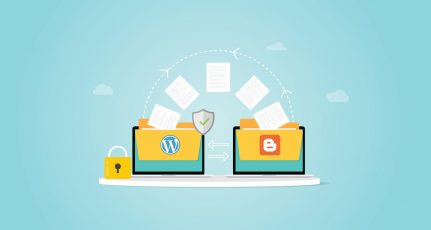
You can simply import your BlogSpot blog posts to WordPress, delete your BlogSpot blog and start blogging on WordPress platform. This simple guide will help you with the import of all Posts, comments and users from your Blogger blog to WordPress.
Many bloggers who moved from BlogSpot to WordPress, prefers to move all of their content from BlogSpot blog to WordPress. You might want to start a fresh which is good but if you are getting traffic on your blog, it’s a good idea to move everything to WordPress. You can then delete all those posts that you feel is outdated or not up to your current standard.

The process of migrating your posts, comments and users are easy. WordPress offer inbuilt Blogger migration tool to import everything to WordPress from BlogSpot, and we will look into it. By using Blogger export and WordPress import feature, you can easily import your posts from BlogSpot to WordPress. Though here are two posts that I would like you to read, if you are completely new to it:
- How to Install WordPress (Tutorial)
- 8 Essential setting after installing WordPress
- How to add plugins to WordPress
Guide to Import Blogger to WordPress:
So, I assume you are already, logged into your new WordPress blog and also logged into your Blogger account. One thing, which you need to do, if you are using BlogSpot custom domain, make sure you revert back to default BlogSpot domain.
You can always add custom domain again for the sake of passing link juice and let Google handle 301 redirection. (Fixing permalink is for different topic).
Once you are inside WordPress dashboard, click on Tools >Import and click on Blogger.

This will prompt you to install a plugin that will handle posts, comments and users import from your BlogSpot blog to WordPress blog.

So once you installed, click on Activate and run importer:

On the next page, you will get the option to upload the XML file of your BlogSpot. (I will show you how to export your blogSpot blog after this image.

How to export BlogSpot blog in XML format?
Login to your BlogSpot blog & click on Settings> Other. Click on Export blog under blog tools (Refer to below screenshot for better understanding).

This will open a prompt which says something like:
Export your blog into the Blogger Atom export format. You can do this to move your blog to another blogging service or simply to store your blog on your own hard drive. Don’t worry, your blog will still remain on Blogger until you delete it.

Click on Download blog & this will start downloading your blogspot blog in .xml format.
Now go back to your WordPress blog, browse the downloaded Xml file & clixk on upload file & import.This will start the process of importing your posts, comments, images, and links. (This may take some time depending upon the size of your BlogSpot blog)
The process is very simple, and WordPress import feature made it too easy for non-techy people as well. Once all your blog posts and comments are migrated, you can associate users with them. I also suggest you, go to Posts > Categories and click on Categories to tag converter and convert all categories into a tag.
Since imported Blogger labels are used as WordPress categories and I would prefer keeping only a few categories for better structure and tags for labels. In few minutes, your new WordPress blog will be up and ready with all posts and comments.
If sometimes, your importer stuck or doesn’t import all posts or comments, I would suggest you to use WP suicide plugin and dump all posts and comments from WordPress blog and re-authenticate and re-initiate the import process.
At times, this whole process sounds geeky and little technical, in that case, you can take advantage of my BlogSpot to WordPress migration service. Though, if you are familiar with the basic know-how of BlogSpot and WordPress, importing Blogger to WordPress won’t be a tough process for you.
Do let us know your experience with a complete import process. If you like the post, don’t forget to share it with others. If you have any queries regarding importing from BlogSpot to WordPress. Feel free to ask questions.




Hello.. I m fan of your work !!
I want to do blogging as a part time as I am a school student. Is blogger is good if I buy domain and hosting from godaddy & in future can I migrate from blogger to WordPress for pofessional blogging
Hi,
The export button is not available on my blogger dashboard, there’s only import or upload. Is there an alternative way?
I picked Hostgator as webhosting for my another blog.I think hostgator is better and cheap than iPgae.
I have picked iPgae as webhosting at the time of migration from Blogger to WordPress .But previouly I was picked Hostgator as webhosting for my another blog.I think hostgator is better and cheap than iPgae.
I have followed your article for migration.It will better if you comment about it.
Hello sir,
I have recently imported my website to wordpress. But I have a Question Should I delete My Blogspot Blog After Importing it to WordPress ? Please Reply..
hi i need your answer immediately
now iam facing importing from blogger to wordpress
every time i click an import button it changes into set authors ones
and when i set my admin user wordpress don’t import any thing
but wordpress read that i have 174 post and 72 comments
what i can do to import my posts and comments ?
I’m reading this post of your after-the-fact of transferring my blog from blogspot to wordpress. Everything seems to have come over fine, except for my users. How can I now transfer just my registered users from my old blogspot blog to my new and improved wordpress blog? Any insight would be helpful.
Hey DDlinks,
If you are facing issue while importing under admin user, It also has an option to set the previous author for your previous posts..
Though… If you are importing from blogspot to wordpress , You also need to set 301 perma redirection as well.
Have a look at this tutorial
https://www.shoutmeloud.com/how-to-migrate-from-blogspot-to-wordpress-with-301-permanent-redirection-without-loosing-traffic.html
Let me know if you face any issue.
I have a blog in blogger and using a custom domain.now I want to change my blog I WordPress.i want to use the same custom domain name.how will be it possible??
use blogger importer extended plugin
hi i need your answer immediately
now iam facing importing from blogger to wordpress
every time i click an import button it changes into set authors ones
and when i set my admin user wordpress don’t import any thing
but wordpress read that i have 174 post and 72 comments
what i can do to import my posts and comments ?
bro actually that is problem with plugin…. use blogger import extended, that is awesome…. i imported almost 4247 in one time…and 12768 links…..here you do not lose traffic…..all category and tags, everything will be imported….
This is a very simple explanation for migrating blog from blogger to wordpress 😀 Thank you ….
hi my friend, thank u for all the great tips u provide at your site.
i have a question for u ?
i want migrate from blogger to wordpress can u explain what the problems i will face eespecially in
1- i have my own domain hosted in blogger free host (http://www.dd-links.com) if i migrate my page rank will disappear Or not
2- how i migrate my feedburner subscribers.
3- what about my indexed posts and keywords position in search engines if they will hurt.
4- what about my received traffic
please answer me
thank u alot
ddlinks™s last blog post..Can you run it – Can you run this game
Very Useful!