
Do you use Gmail for Emailing? There are various Gmail tricks that you can use to make the most out of your Email usage. Gmail is a free email service provided by Google with 15GB of free storage for each account.
You can check your current Gmail storage over here. Now if you are a Gmail user then here we have some handy tips and tricks to get the most out of Gmail.
Page Contents
1. Host your Gmail Signature Logo on Google Drive
A Gmail Signature is a bit of text (like your name, website, or contact information) or can also be your company’s logo that’s automatically inserted at the bottom of every message you send. If you want to keep your signature as text then it’s very simple, but if you want your logo to be sent as signature then you have to host it.
Now to host your image you can use any online hosting services, but alternatively, you can also use your Google Drive account to host images and use it as your Signature in Gmail.

- Step 1: Login to your Google Drive account and create a Folder named Signature (or anything you like)
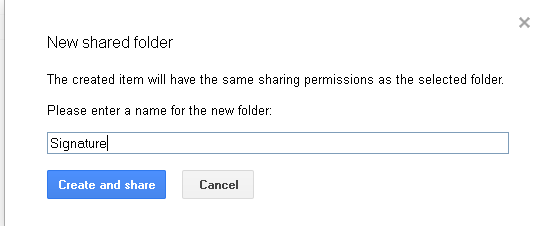
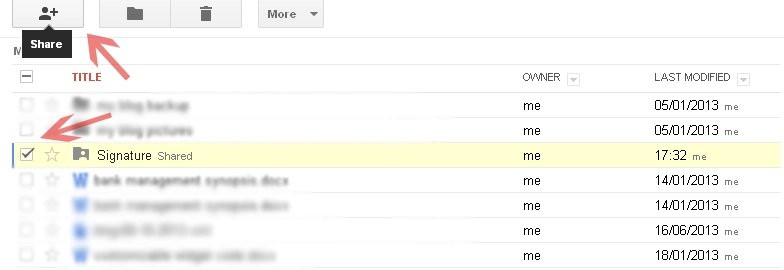
- Step 2: Select the Signature folder and click on share button
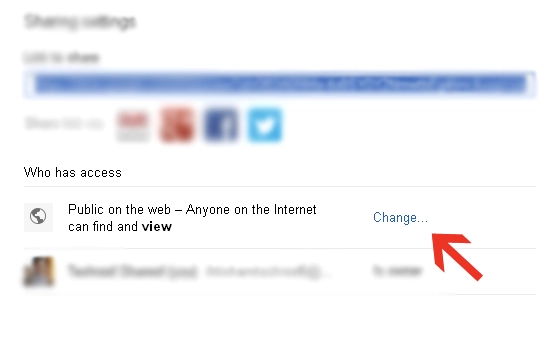
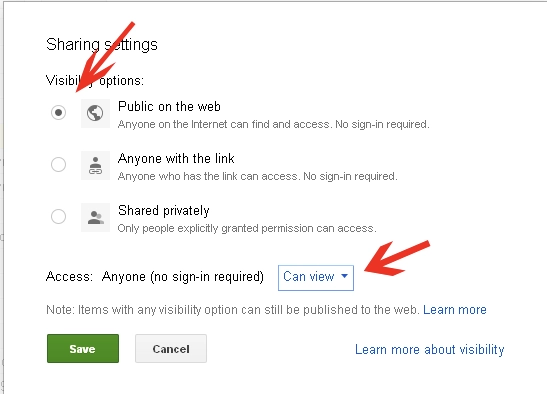
- Step 3: Set the folder visibility to Public and Access to anyone can view
- Step 4: Open Signature folder and upload your Logo
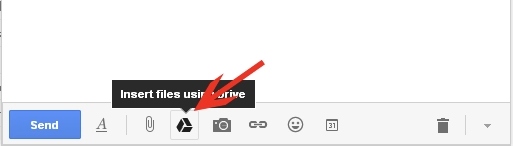
- Step 5: Now in Gmail, click on Compose and then click on Google Drive icon at the bottom
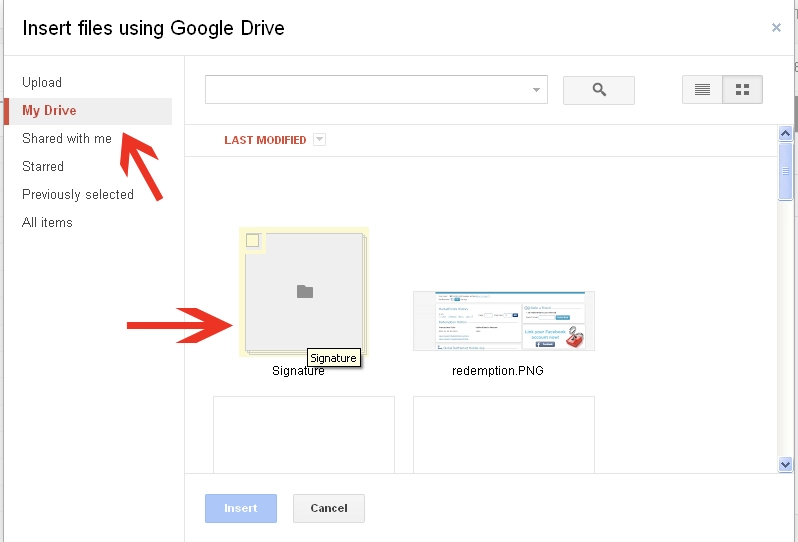
- Step 6: In Google Drive window, open Signature folder
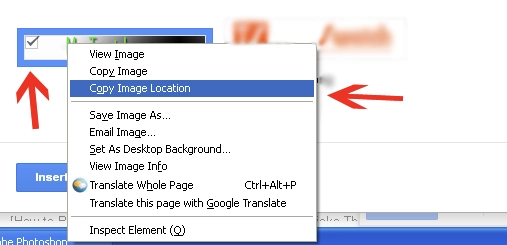
- Step 7: Right Click on your Logo or image and select copy image URL or Copy image location (Paste this link somewhere in note pad and save it)
- Step 8: Close compose window and Google Drive window
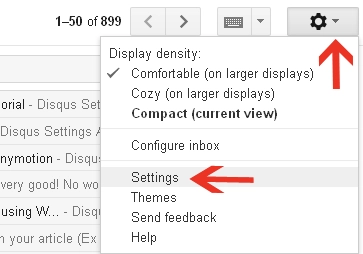
- Step 9: In Gmail, click on Gear icon and select settings
- Step 10: Scroll down where you see Signature and select “appended at the end of all outgoing message”
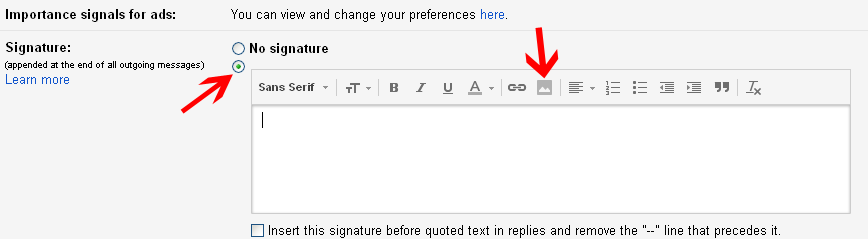
- Step 11: Click on insert image and paste your image or Logo URL
- Step 12: If the URL is correct then you should see preview of your Logo
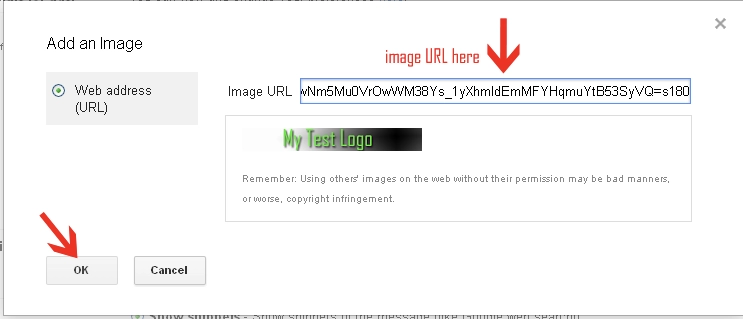
- Step 13: Next click OK, then scroll down and click Save Changes
- Step 14: Next time when you’ll compose a new message you’ll see your logo at the bottom of your Email as Signature.
2. List of Gmail Keyboard Shortcuts

Everyone loves shortcuts, but there is not a shortcut to success.
So What?
At least we have some keyboard shortcuts on Gmail. Here we have the list of Keyboard shortcuts for Gmail to make your work bit faster.
Before you proceed, enable shortcut features in Gmail, to do this go to Settings > General > Keyboard Shortcuts and select Keyboard shortcuts on.
- Shift + C = Compose new message in a new window
- K and J = Scroll up (K)and scroll down (J) between messages in Inbox, press enter to open it.
- X = Mark a Message in Inbox
- R = Reply (While viewing an Email, press R to Reply)
- F = Forward (while viewing an Email, press F to Forward)
- Ctrl + S = Save Draft
- Shift + # = Move a message to Trash
- L = Label (press L while viewing a mail and select your Label)
- Shift + U = Mark message as Unread
- Shift + I = Mark message as Read
3. Find Attachment and Email according to their Size and Date
Using this trick you can find attachments of certain size and date. This helps you in finding only relevant emails with attachments and their size.
Suppose if you want to find all the messages with more than 1MB attachment then type size:1M in Gmail search bar and click the search icon.
- If you want to find a 1 year old email then type older_than:1y in the search
- If you want to find a 15-day old Email then type older_than:15d in the search
4. Right Click to Archive, Delete or Move to Tab
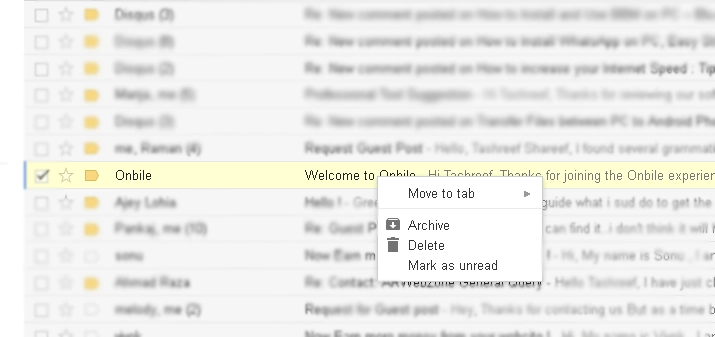
This is another handy feature available on Gmail.
- To Delete a message Go to Inbox, Right Click on the message and select Delete
- To Archive, a message Go to Inbox, right-click on Message and Select Archive
- To Move a message to Social or promotion Tab from the primary tab. Right-click on message, select Move to Tab > Select Social or promotion Tab
5. Gmail Keyboard
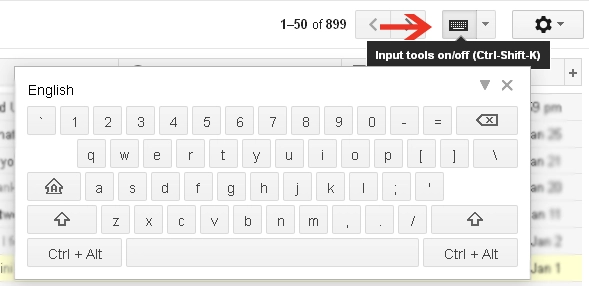
Gmail also has a built-in virtual keyboard that allows you to type using your mouse. All you have to do is click on the keyboard icon at the top right corner and start typing using your mouse. Alternatively, you can also press Ctrl + Shift + K to bring up the keyboard.
6. Add or Remove Tabs in Gmail
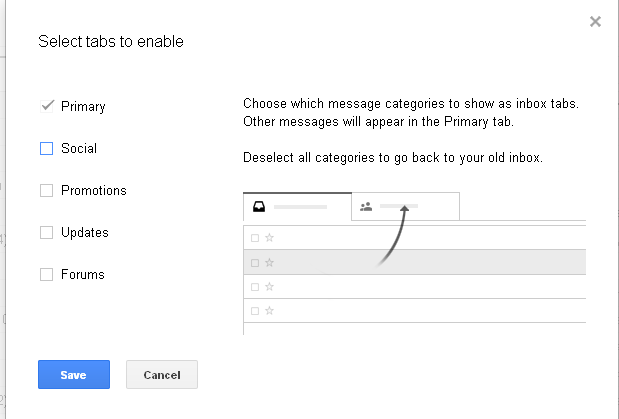
The latest update for Gmail brought Tab feature and by default, there are three Tabs namely Primary, Social and Promotion. If you want to remove any of the Tab then click on the Gear icon > Select Configure Inbox > uncheck Tab you want to remove and click on Save.
By following the same steps you can also add two more tabs Updates and Forums. Update Tab will have all the updates and in Forums Tab you’ll have messages from various forums that you have subscribed to.
7. Attach Executable File in Gmail
By default Gmail and other email service providers do not allow us to attach .exe (Executable) files for security reasons. But, there is a workaround by which you can send .exe files in Gmail.
To do this Rename or change the extension of your executable file ( Eg: Change Videoeditor.exe to Video editor)
Now compose a new message in Gmail and attach a Video editor and send it. Tell the receiver to download and change the file name to videoeditor.exe, after that the file can be executed.
If you know of any other Gmail tricks, Do let me know via comments. Here are some more posts which will help you to make the most out of Gmail:
These are a few best Gmail tips and tricks to make your Gmail experience better. So, What are you waiting for?
Do sign in to Gmail and see these tips actually working! Do you have any other tips? Do let us know in the comments.